
Long, messy scans in. Text you and your AI can actually use.
Built Arabic-first, and works in nearly any language. Turn scanned books, archives, contracts and official records into editable Word, searchable PDF, spreadsheets and clean text, hundreds of pages at a time.
- 50 free pages
- No credit card required
- Arabic-first, nearly any language
Used by researchers at


Individual researchers, faculty and students at these institutions have used ScribeTools.
A real classical Arabic example
See the scan become an editable document.
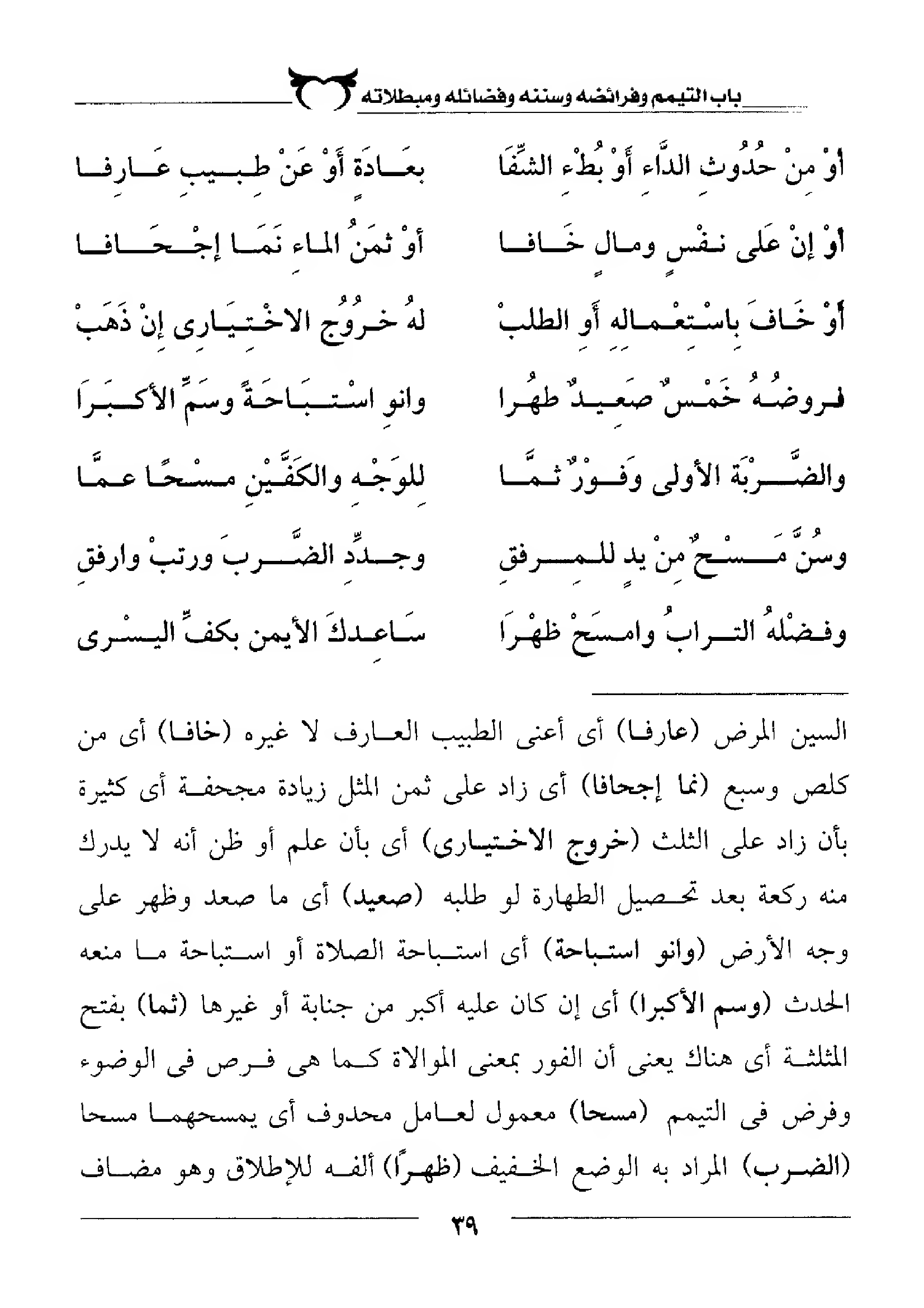
Real production output from one page. Results vary with scan quality.
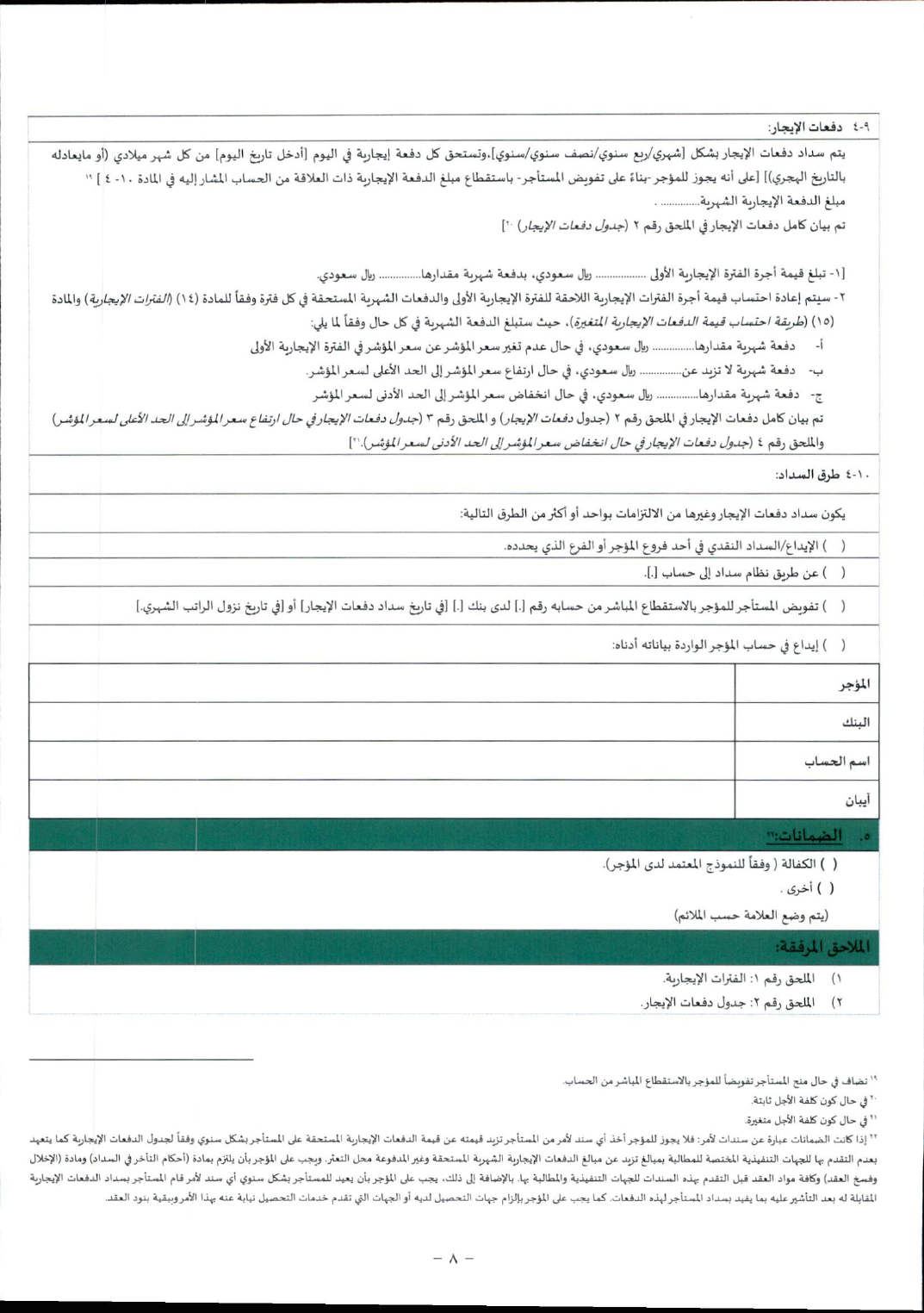
Converted through the production pipeline; lightly trimmed for this preview. View the public SAMA source.
Every upload can become
- Editable WordDOCX
- Searchable PDFPDF
- Tables to ExcelXLSX
- TranslationDOCX
- Clean text for AITXT
- EPUB eBookEPUB
Works with your tools:API and webhooks on paid plansClaude and ChatGPT connector coming soon
Seen in the community
Researchers and creators are talking about ScribeTools.

عبدالله السبع
@7Alsabe1.3M followers
Translated from Arabic
“The easiest way to turn PDFs into Word documents or editable text with ScribeTools.”
سلطان الفردان
@SultanAlFardan69.5K followers
Translated from Arabic
“Finally, a tool that understands Arabic documents and makes them usable.”
Khaled Hammadi
@KhaledHammadi3225.8K followers
Translated from Arabic
“Finally, a real solution for Arabic documents. ScribeTools does not just display files—it understands them and turns them into usable content.”Pricing
Start free. Pay for pages when the work grows.
Every account starts with 50 free pages, then up to 20 free pages every month. One page of your document uses one page, whatever you turn it into.
Free
Try every conversion on your own documents.
—
50 pages to start, then up to 20 free pages every month
Pro
For regular work: books, research and business documents.
About 1.6¢ a page
1,500 pages every month
Enterprise
Per-page pricing for teams, libraries and institutions.
—
Volume per-page pricing
Pay as you go
Pages never expire. No subscription.
Starter · $5
100 pages · 5¢ a page
Project · $15
500 pages · 3¢ a page
Book · $45
2,000 pages · 2.25¢ a page
Start with one document
The scan is the beginning, not the final format.
Convert a page, review the result, and decide what the rest of the collection could become.
Building next: shared team libraries your AI can read and cite.